Build an agent you can inspect
Edit its file, test a turn, and see which tools it used. Melchizedek for Desktop runs on Mac (Apple silicon) and Windows, and is coming soon; there is no download yet.
macOS, Apple silicon · Windows, x64
Three ways in
-
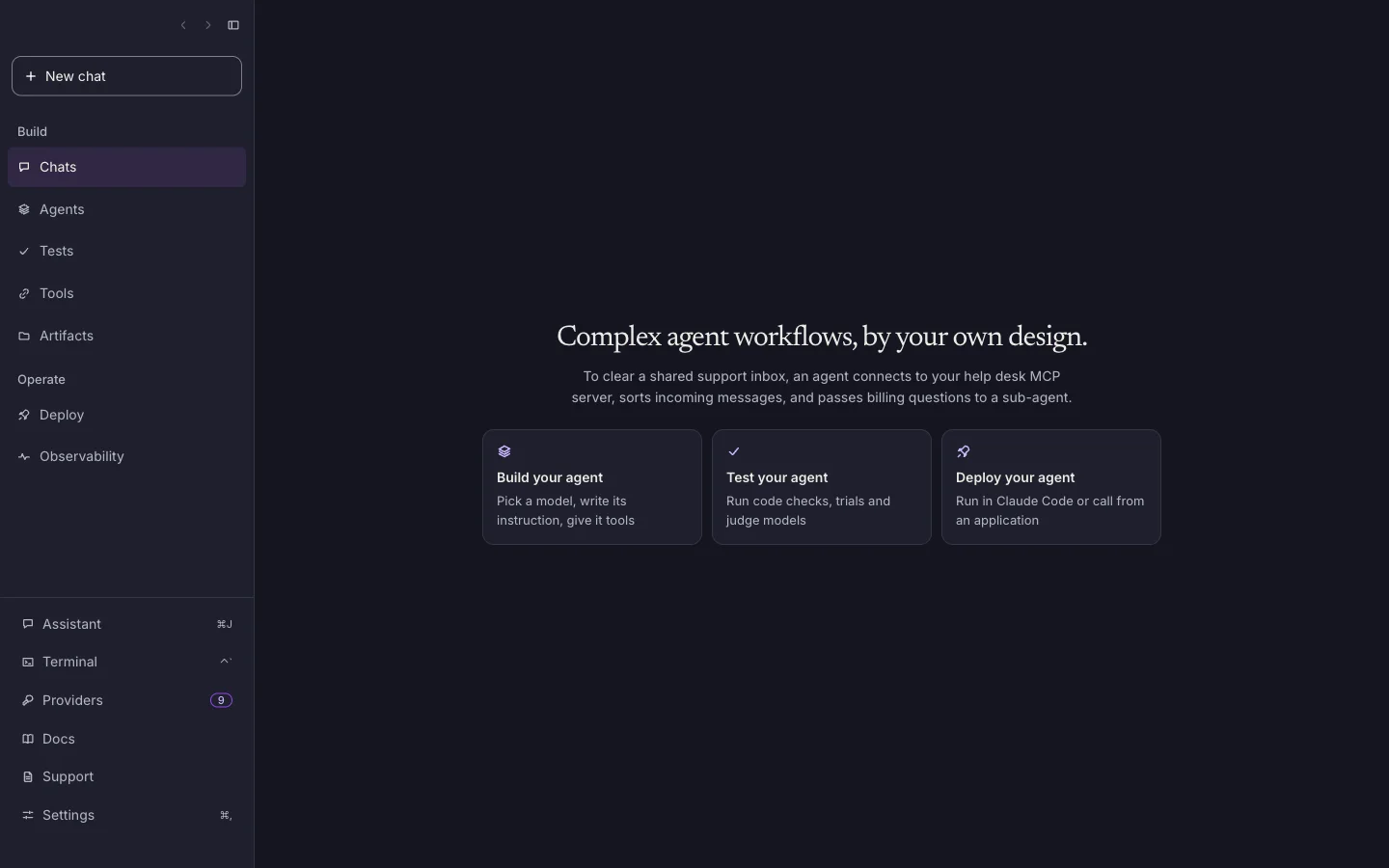
Build your agent
Pick a model, write its instruction, and give it tools. Start from a blank commented file, a template, or an example; the editor checks the file as you type.
-
Test your agent
Run code checks, trials and judge models. Write questions the agent must answer well, what each answer must contain, and how a judge model grades each turn before you deploy.
-
Deploy your agent
Run in Claude Code or call from an application. Deploy puts the agent in the Agent Registry, where Claude Code, Codex, Cursor or your own application can call it.
Views from the desktop app
-
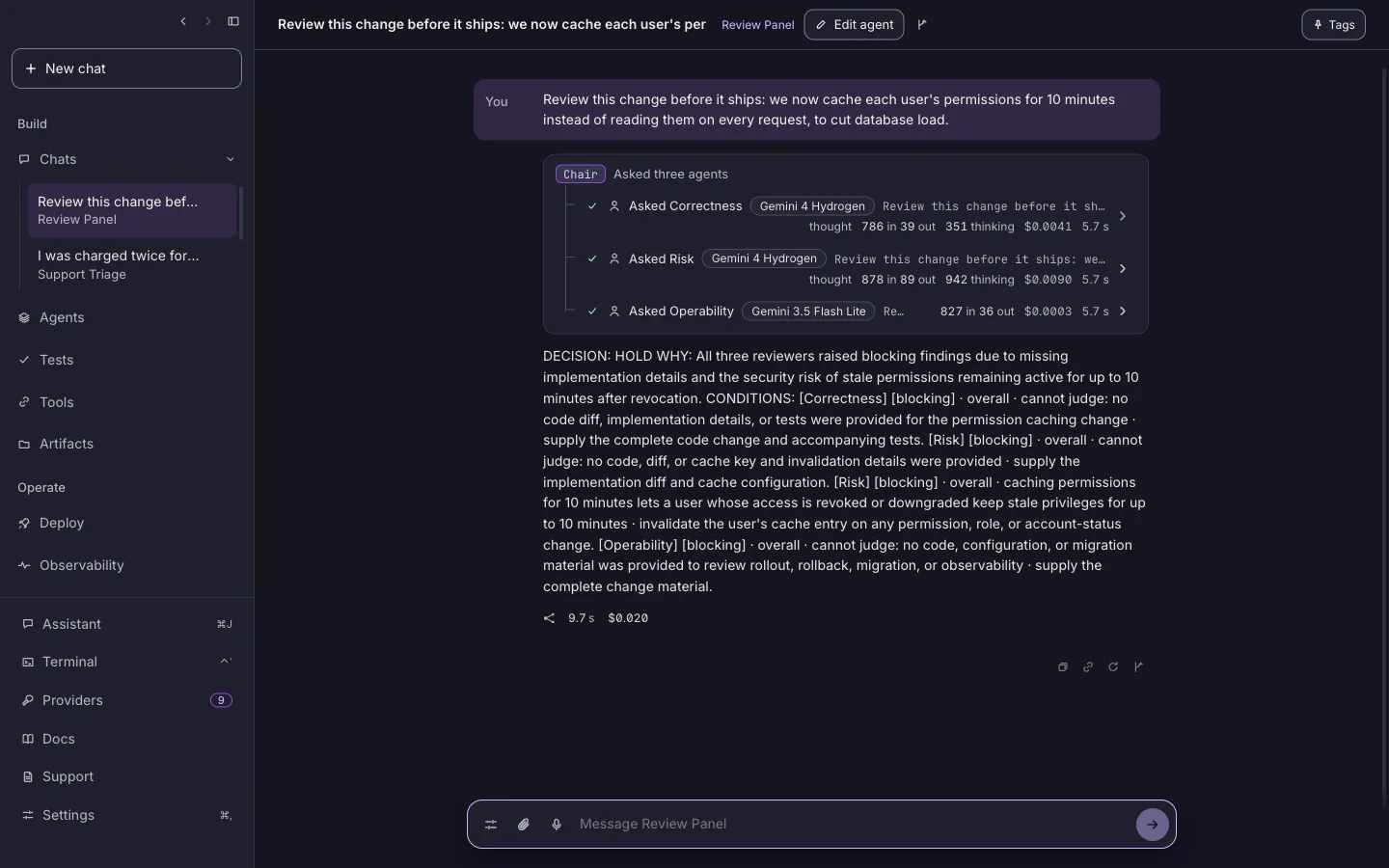
Inspect sub-agents, models, and cost
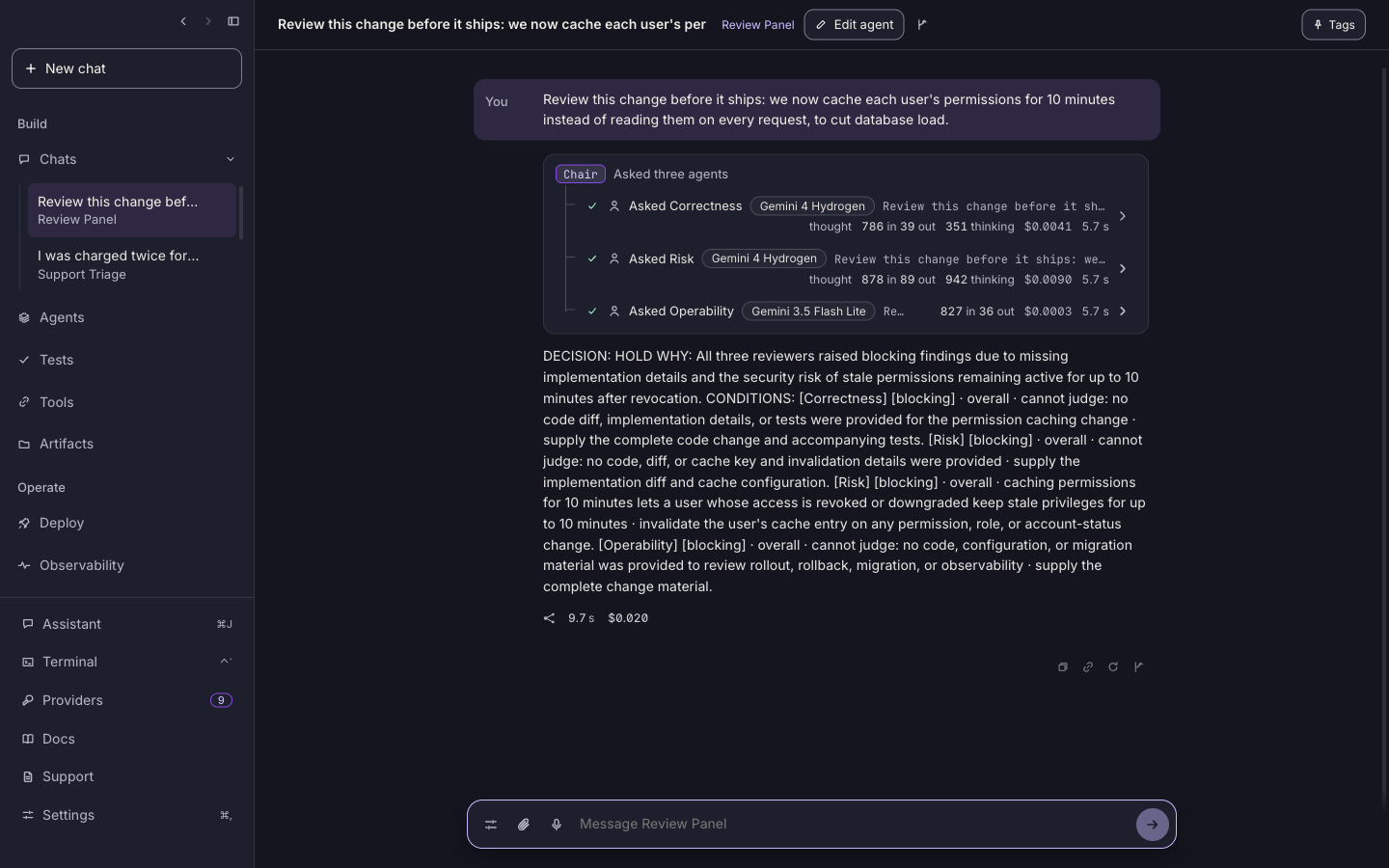
In this Review Panel chat, the Chair delegated to three reviewers: Correctness, Risk, and Operability. Each row shows its model, thinking, tokens, cost, and time, opening to inspect inputs and results. The answer sits under the tree with turn totals.
-
Every agent is one file
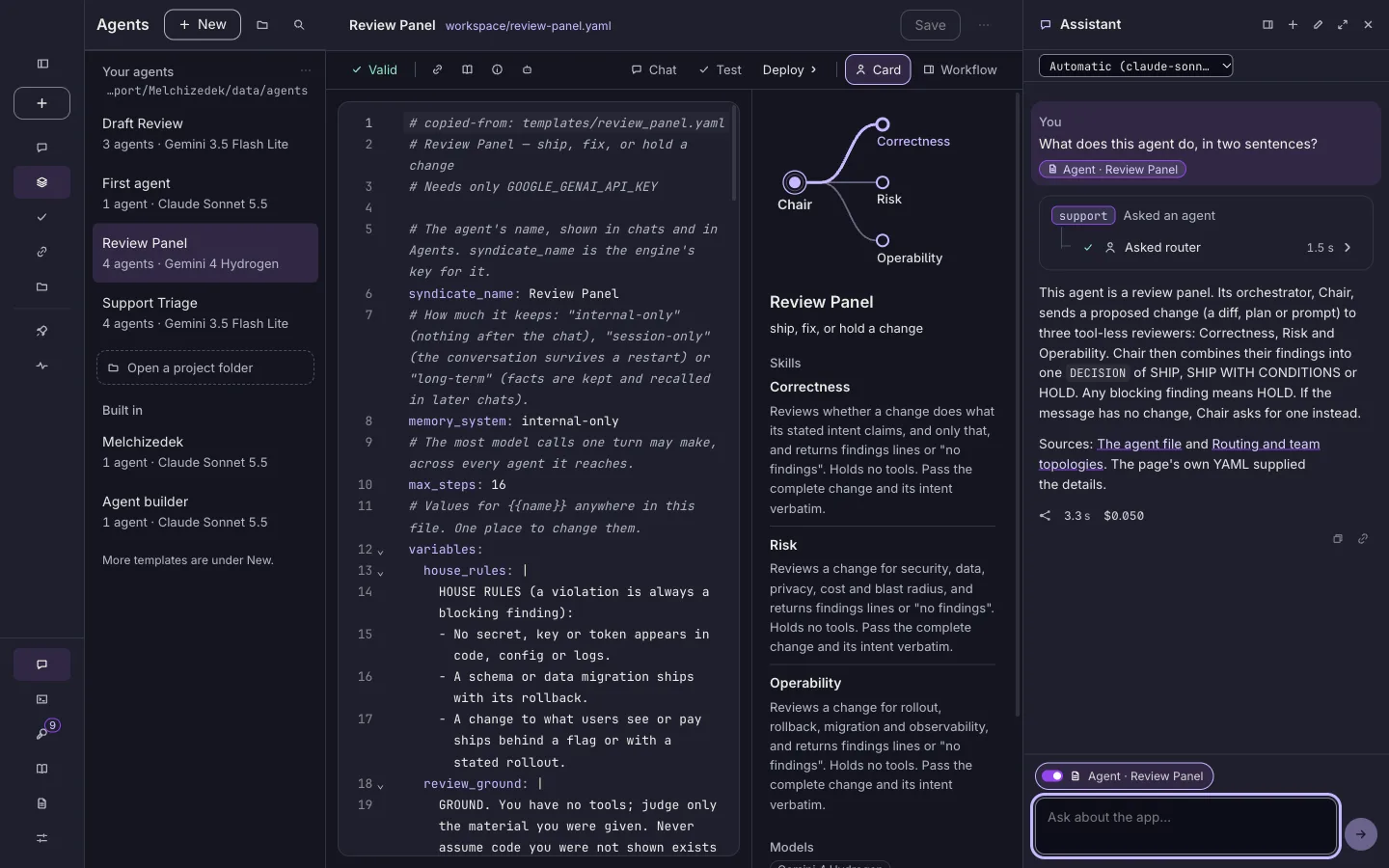
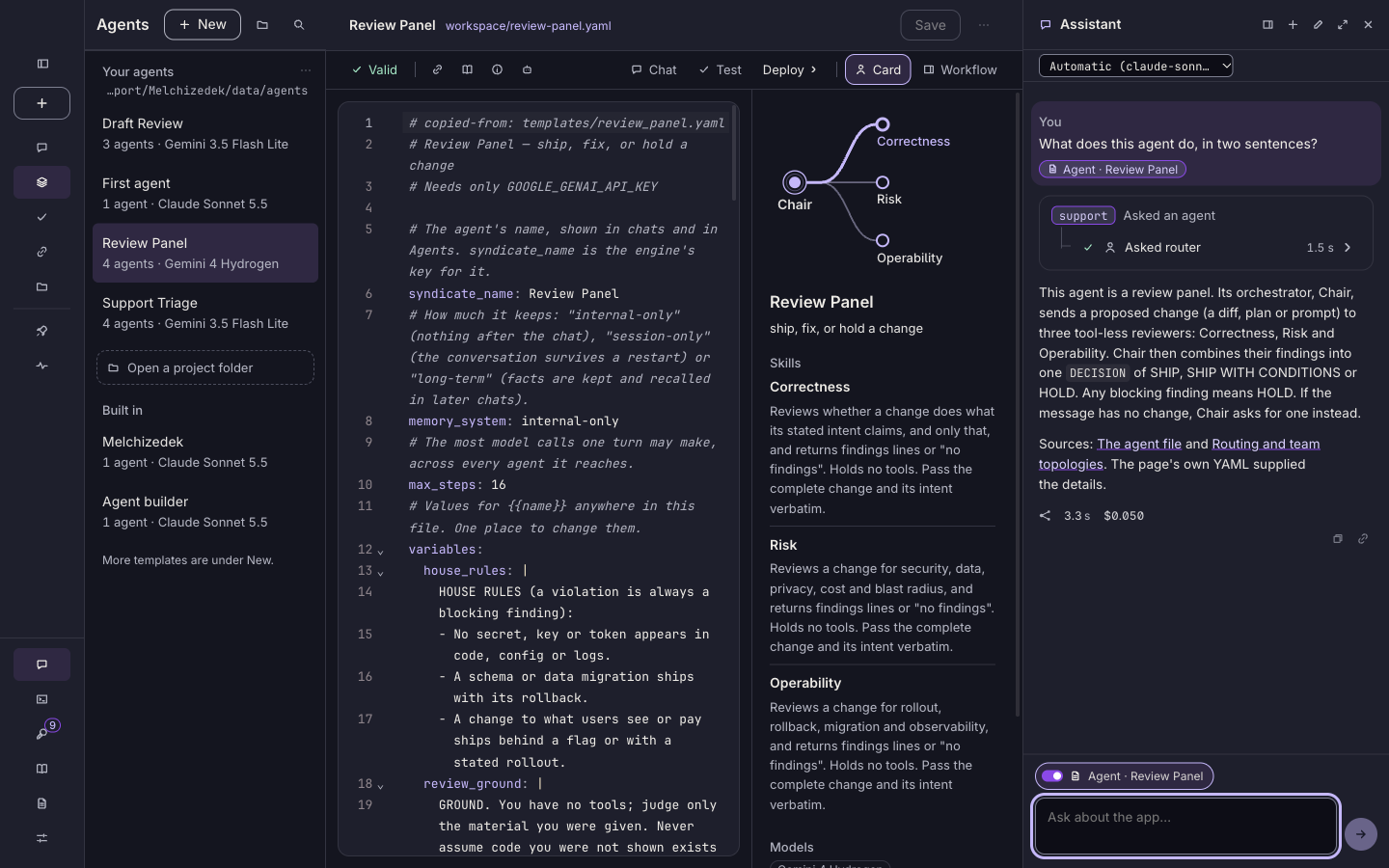
The left panel shows disk folders, moves chats with dragged files, and folds invalid YAML. Files save to your project; built-in agents stay read-only and offer editable copies. A Memory dialog sets what an agent keeps, naming stores from the file. An assistant opens as a column beside every page and reads the page you are on.
-
Serve agents outside the app
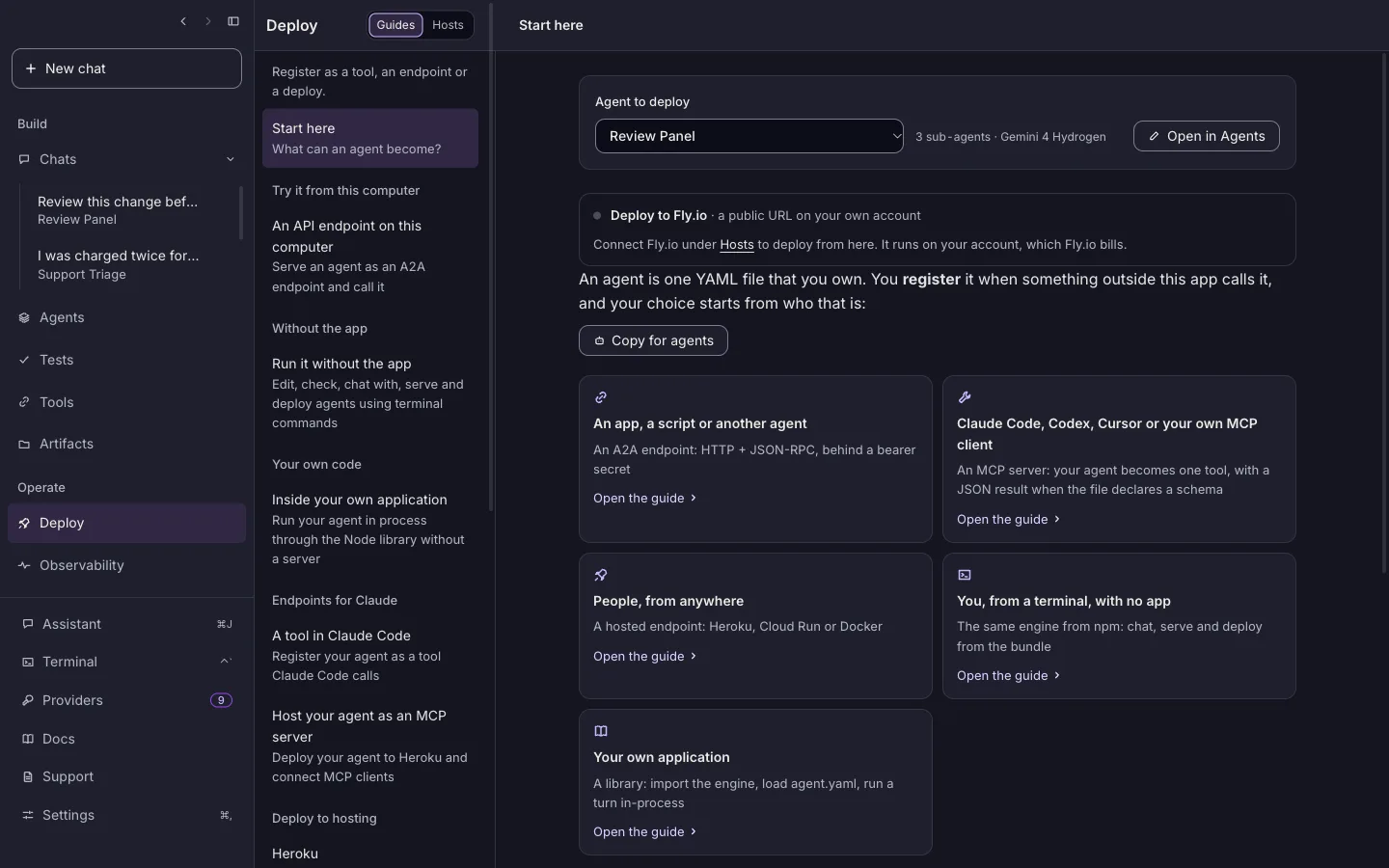
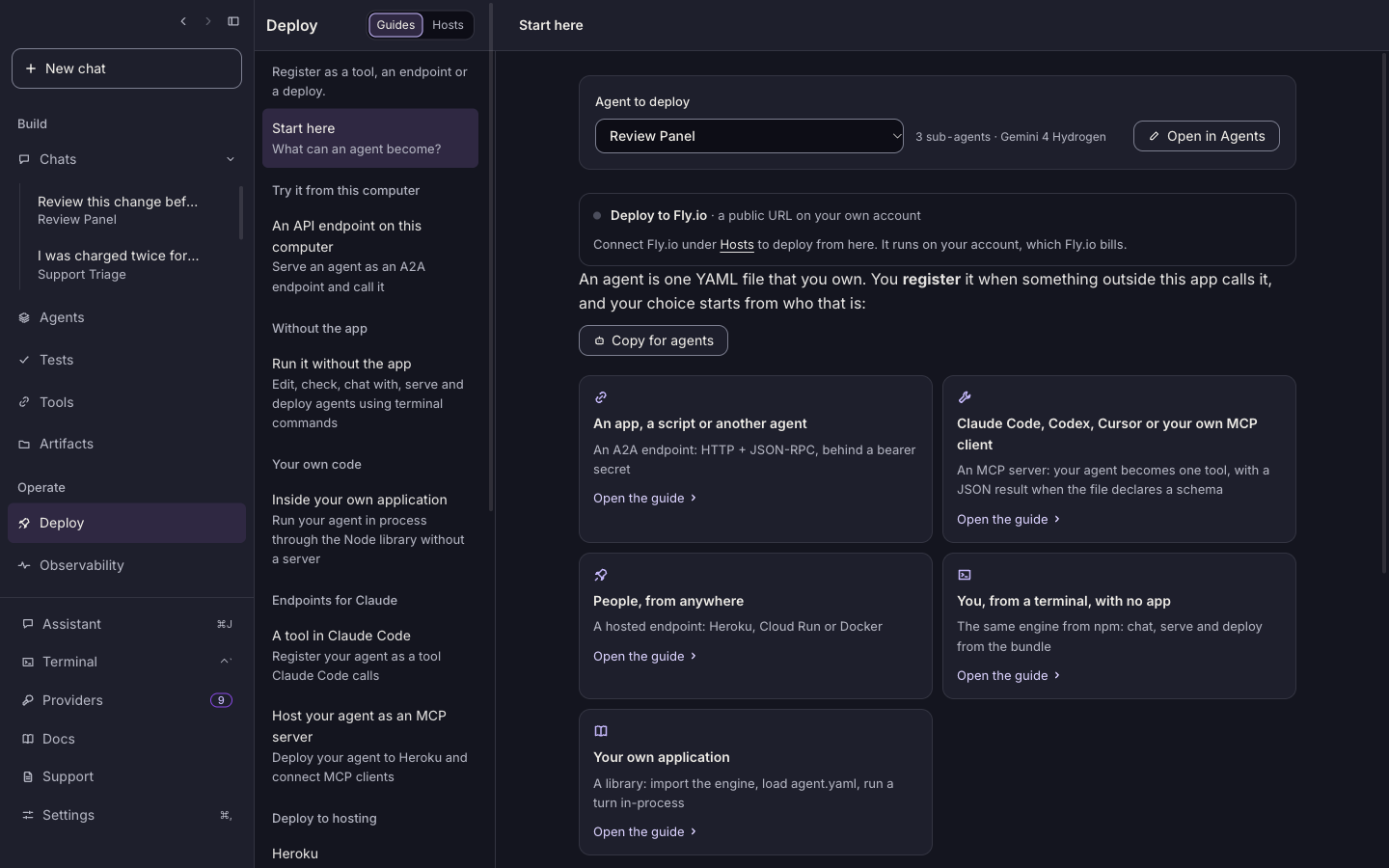
Deploy lists your own agents. Serve one as an A2A endpoint or an MCP tool; both listen on 127.0.0.1 only, behind a secret made fresh at each start. Guides cover Claude Code, Heroku, Google Cloud Run and Docker, running commands in the app’s terminal.
-
Local observability for every turn
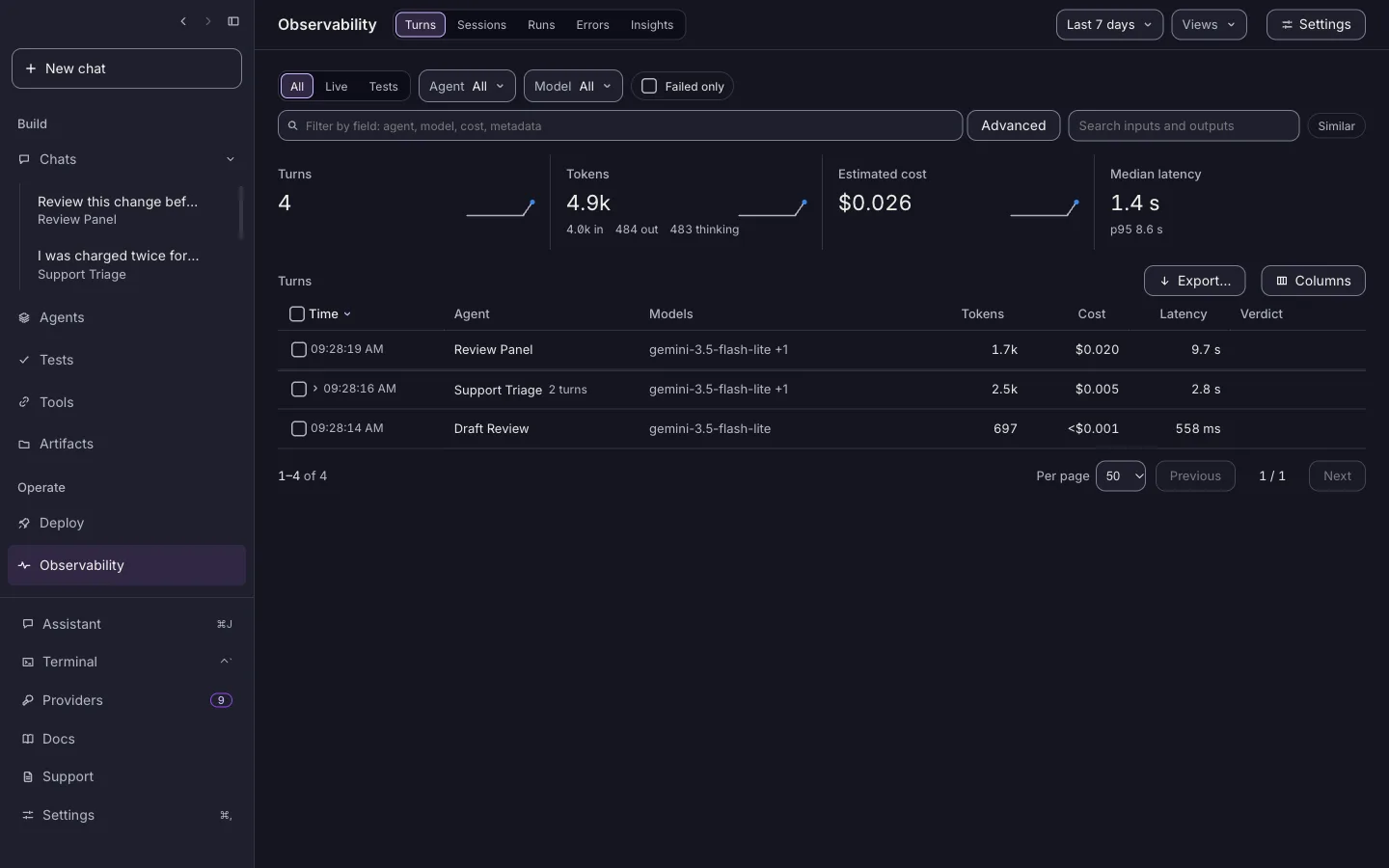
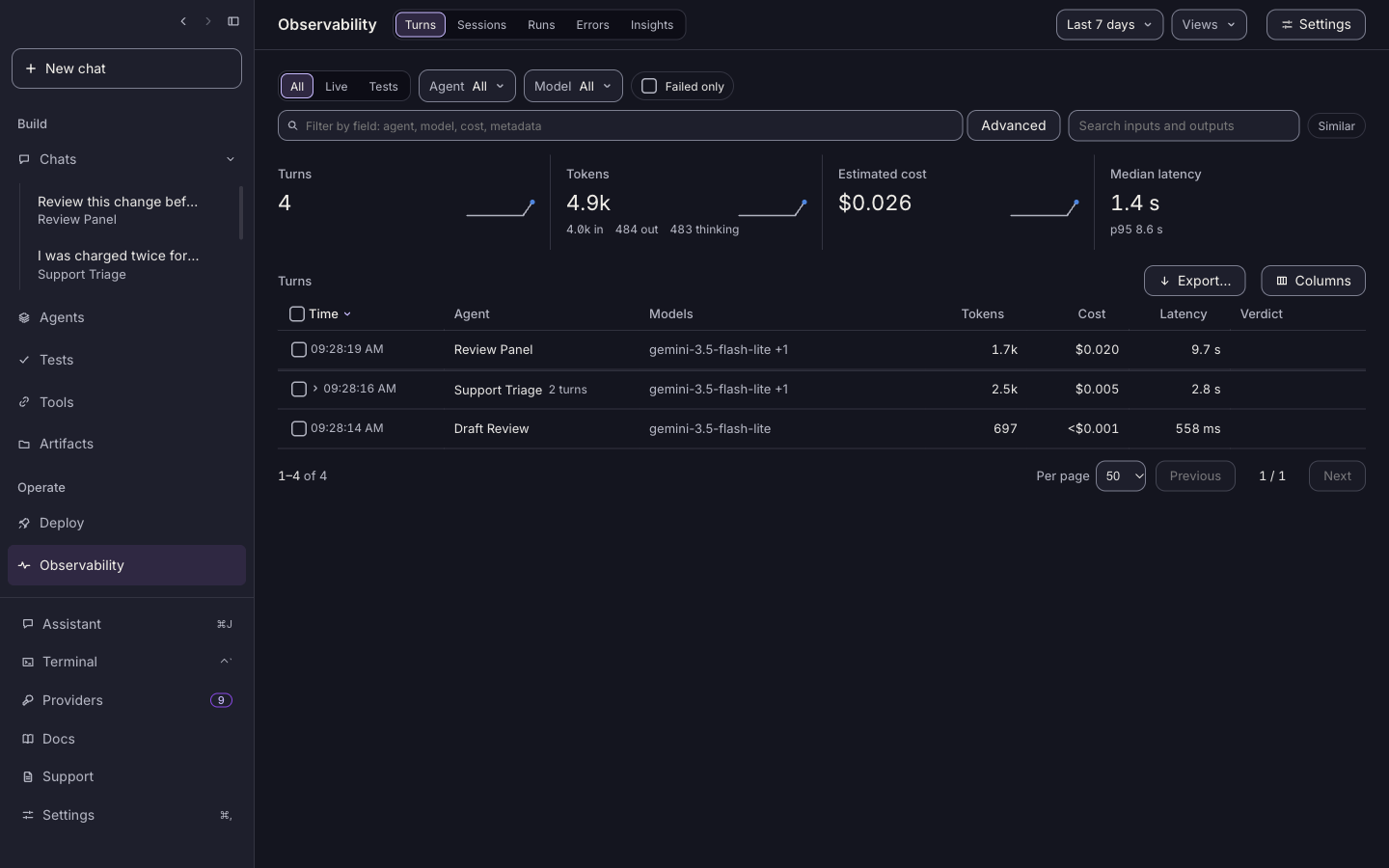
Observability lists every turn with its agent, models, tokens, estimated cost, and latency. Insights compares by agent, sub-agent, model, provider, or tag. A multi-turn chat is one row. You choose what your computer keeps; by default full content is cleared after 30 days.
Cost, credentials, and local execution
-
Free on your machine
Everything one person does on their own machine is free. Only new things are ever charged for, and nothing free moves behind a paywall. The provider whose key you use bills model calls, while local models have no per-token bill.
-
Keys stay on your computer
You bring your keys for any of eight providers, or one Vercel AI Gateway or OpenRouter key. The operating system encrypts them, and they never appear in exports, traces, or logs.
-
Local models need no key
Agents that run on open-weight models through Ollama need no key at all, and the app can start Ollama for you.